
Important notes
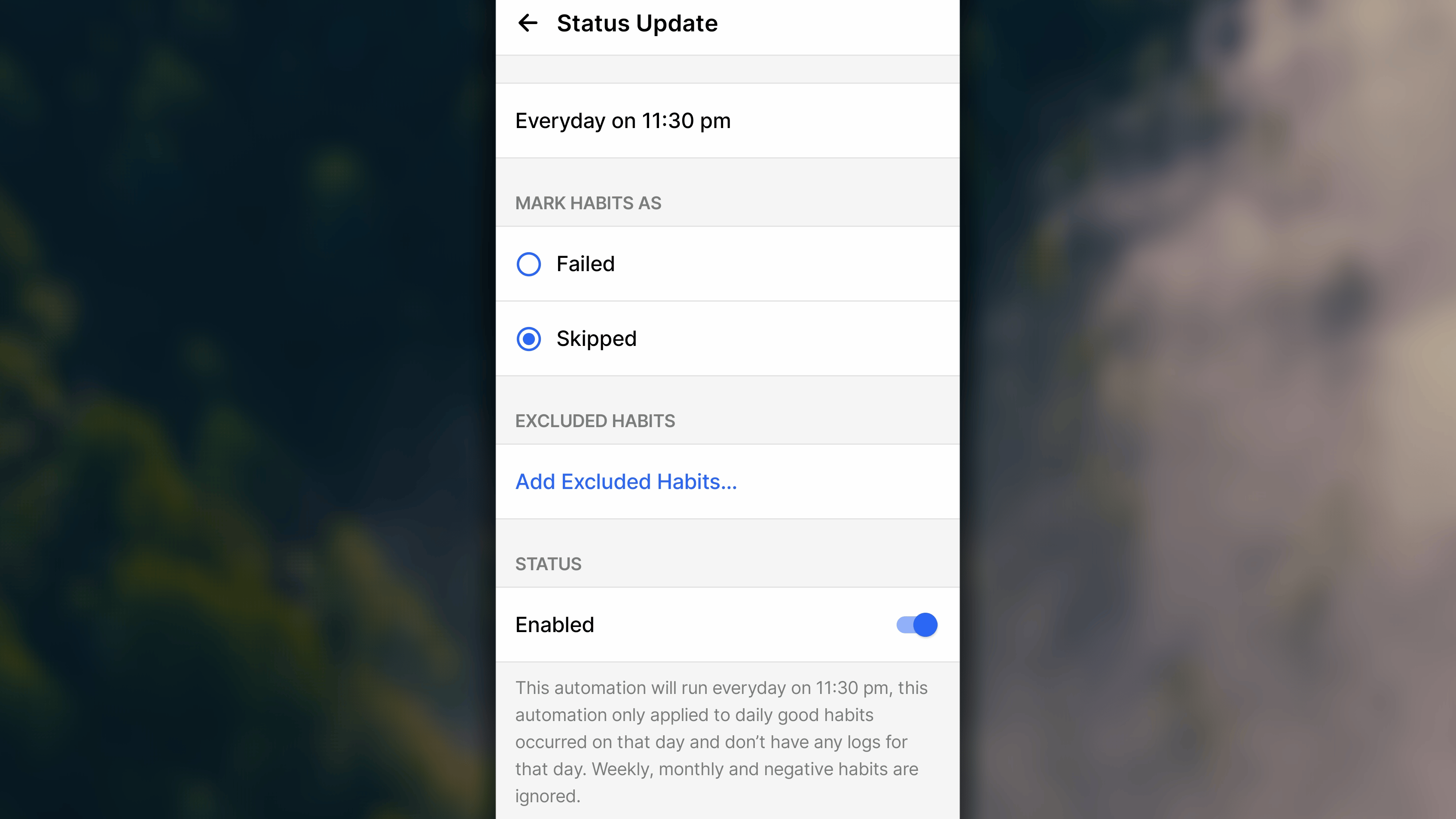
A few limits are worth understanding so the automation behaves the way you expect:- It only runs on the current day. Avoid setting the trigger time later than 11:59 PM, running past midnight risks it checking the next day’s habits instead.
- It only applies to Good Habits with a daily repeat setting. Weekly habits, monthly habits, and bad habits aren’t covered by this automation yet.
- It only affects habits where today’s progress is still 0. Anything you’ve already logged something for is left alone.
- If your device’s timezone changes, manually or automatically from travel, go back into the Status Update setting and refresh it (turn it off, then back on) so the trigger time stays accurate.
- It’s an assist, not a replacement. You can still manually update any habit’s status whenever you want, this automation just catches what you didn’t get around to.
Enabling the automation
- iOS
- 🤖 Android
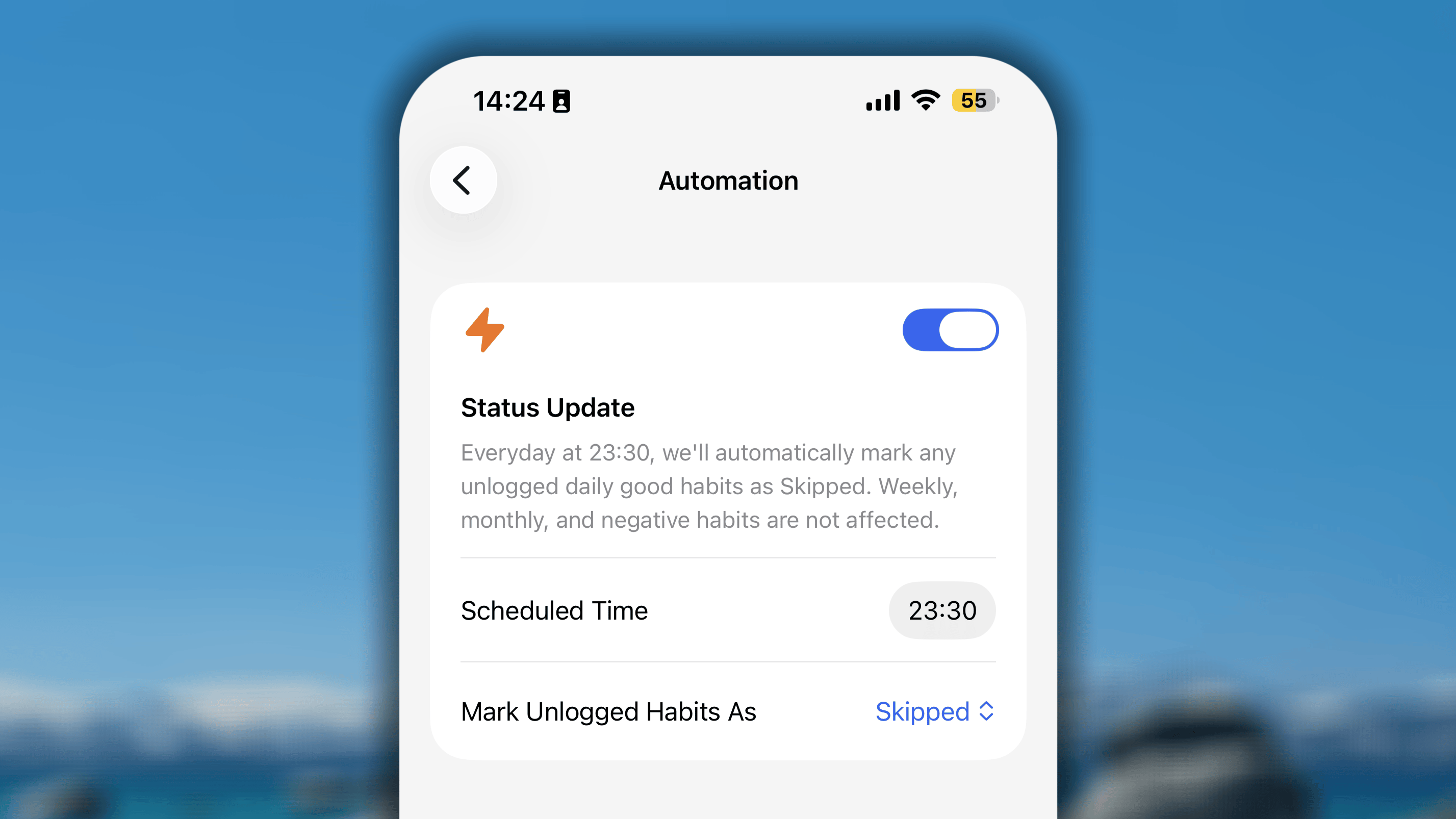
- In Habitify app, go to the Settings.
- Under Integration, open the Automation section.
- In Automation’s settings screen, switch the toggle button to ON.
- In Scheduled Time, tap on the time and adjust to the one you prefer.
- In Mark Unlogged Habits As, choose what unlogged habits should become:
- Skipped: you intentionally chose not to do it for a valid reason.
- Failed: you didn’t complete it, without a valid reason.
- Once everything is one set, tap the く button in the top right corner to save all and go back to the Settings’s main menu.